
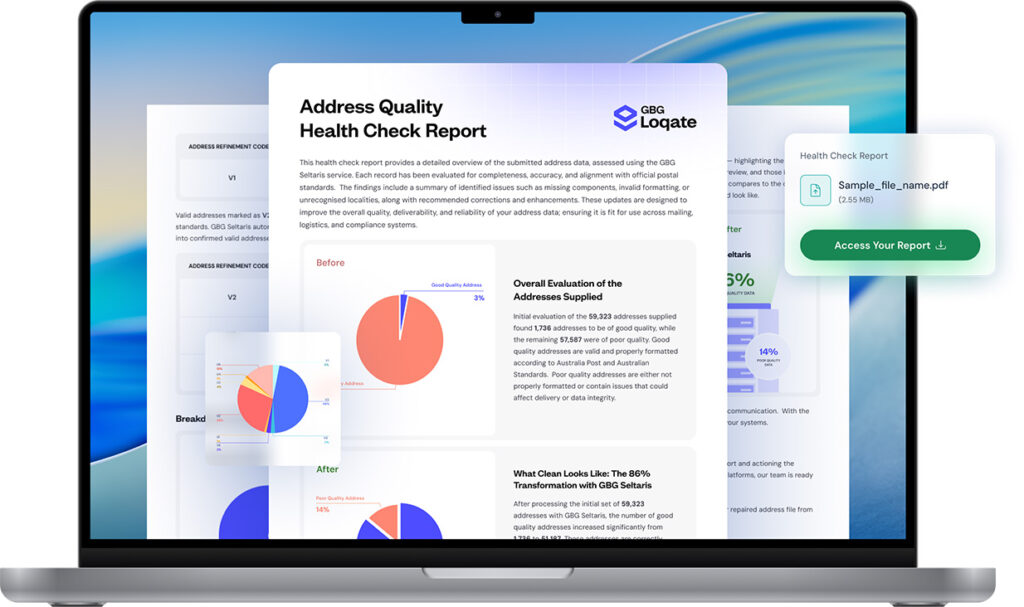

Address Validation
Format, clean, repair and verify
addresses with 100% accuracy
Address Capture
Capture addresses more accurately,
faster and with less effort
Phone Validation
Check and validate landline or
mobile number in real time
Email Validation
Check and validate email
addresses in real time
Address Data
Format, clean, repair and verify
addresses with 100% accuracy
Phone data
Check and validate landline
or mobile numbers.
Email data
Check and validate
email addresses.
Geocode data
Add coordinates to every
validated address.
Bulletproof Security
Ensure data is secure in
every way possible
Human Touch​™
Machine Learning & AI models to read and understand addresses
Reliability
Consistent, predictable,
scalable and more…
Simple Implementation​
Use webservice and easy to use APIs for Address, Phone, Email and Geocoding
More Data Sources
Use Australian, New Zealand & International data sets to get accurate addresses
DataTools Newsroom​
Discover the latest updates
& announcements.
eBooks & Reports​
Data quality insights, right at your fingertips.
DataTools for Business
Discover how various industires are using DataTools products everyday.
DataTools for Enterprise
Learn about the data quality software that keeps enterprises ahead.
DataTools for Government
Learn about the data quality software that
stays ahead in Government compliance.
Temple & Webster
Australia’s leading pure-play online retailer for furniture and homewares.
Bauer Media Group
Australia’s leading magazine publisher across entertainment, lifestyle, fashion, food, parenting, and more.
Queensland Police
Australia’s state police service achieving digital transformation at scale.
| Australian Data | ||
| PAF Version | PAF issue date | PAF in-place date |
| VYYYY | 15-Nov-2017 | 31-Mar-2018 |
| VYYYY.2 | 28-Feb-2018 | 30-Jun-2018 |
| VYYYY.3 | 31-May-2018 | 30-Sep-2018 |
| VYYYY.4 | 31-Aug-2018 | 31-Dec-2018 |
| New Zealand Data | ||
| PAF Version | PAF issue date | PAF in-place date |
| Q1 | 31 Mar-2018 | 30-Sep-2018 |
| Q2 | 30 Jun-2018 | 30-Dec-2018 |
| Q3 | 30 Sep-2018 | 31-Mar-2019 |
| Q4 | 15 Dec-2018 | 15-Jun-2019 |
Below is a table of when the Australia Post PAF is released.
| Paf Date | Release Month | Expiry |
| 20xx.1 | December | 1/5/xx |
| 20xx.2 | March | 1/8/xx |
| 20xx.3 | June | 1/11/xx |
| 20xx.4 | September | 1/2/xx |
This error can occur when trying access more than your purchased amount of licenses.
It can also happen when AVM has been opened multiple times on the one PC.
The way to fix this is by:
1. Open task manager.
2. Find Datablue AVM for office
3. End Task all instance
4. Then reopen AVM
1. Go to http://resources.datablue.com.au/
2. Login into your account
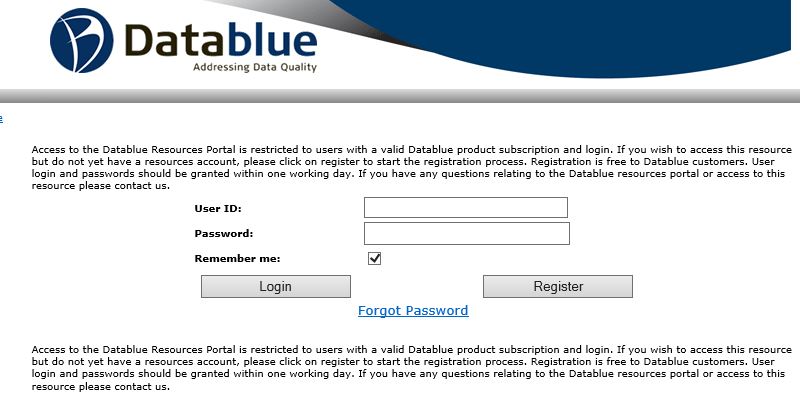
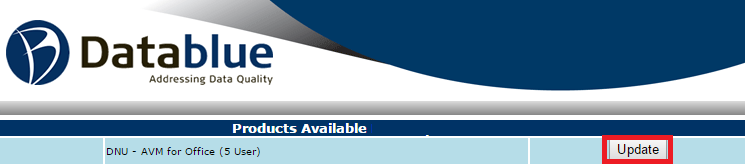
3. Click on “Product Updates” and select the update button.

4. Then select the “Update” button.
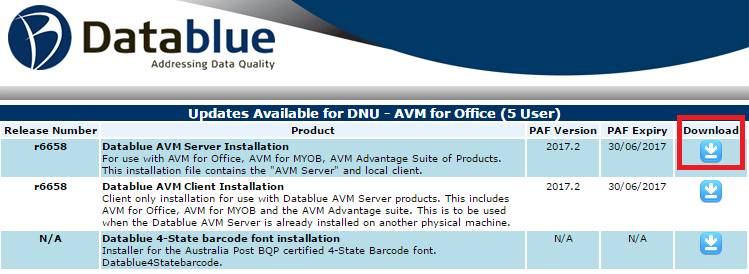
5. Then download the Datablue AVM Server Installation for a fresh install.
6. Run the AVM executable.
When installing AVM for Office and you receive the following error “Another application has exclusive access to the file”
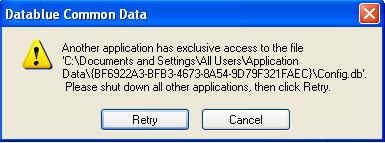
1. Open task manager.
2. Click on Services tab, or more options to get the extra tabs.
3. Find DatablueServerMonitor and stop this, this should stop the Datablue Server. (Note: sometimes restarting the pc after this step will help)
4. Click retry on the error message.
5. The update will run and the window will disappear.
6. Once completed, the server monitor should restart and program should work as normal, just check that the servermonitor and server have restarted.
Note if you are still getting the error, please do the following:Â
1. Uninstall of the software via the control panel/uninstall a program feature.
2. Delete the following folders:
C:\ProgramData{BF6922A3-BFB3-4673-8A54-9D79F321FAEC}
C:\Program Files (x86)\Datablue AVM
3. Then Open task manager.
4. Click on Services tab, or more options to get the extra tabs.
5. Find DatablueServerMonitor and stop this, this should stop the Datablue Server.
6. Then reinstall AVM from http://resources.datablue.com.au/
7. Go to Product Updates and select the update button.
8. Then download the Datablue AVM Server Installation for a fresh install.
When trying to register AVM for Office and you receive a “Server service start-up verification timed out” error (as seen below).
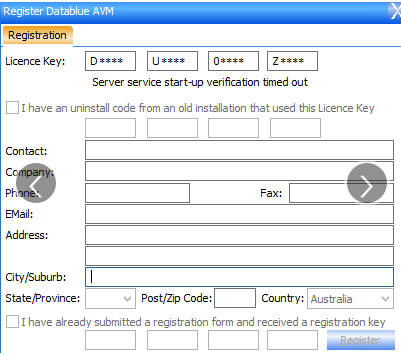
1.You will need to do an uninstall of the software.
Delete the following folders:
C:\ProgramData{BF6922A3-BFB3-4673-8A54-9D79F321FAEC}
C:\Program Files (x86)\Datablue AVM
2. Then reinstall AVM.
3. Request support to clear your registration.
4. Then re-register AVM online.

When trying to register AVM for Office and you receive a “Registration Error”.
1.You will need to do an uninstall of the software.
Delete the following folders:
C:\ProgramData{BF6922A3-BFB3-4673-8A54-9D79F321FAEC}
C:\Program Files (x86)\Datablue AVM
2. Then reinstall AVM.
3. Request support to clear your registration.
4. Then re-register AVM online.