Update Salesforce with your Address Password/Token
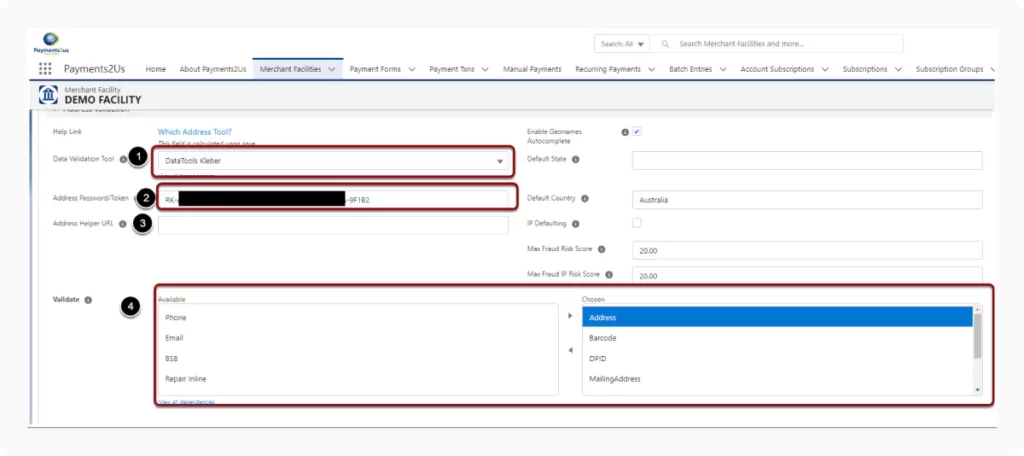
Navigate to the “Merchant Facility” Tab in Salesforce. Press the GO button for the Merchant Facility that you wish to have DataTools Kleber Auto complete enabled and update the following:
Set the Data Validation Tool to "DataTools Kleber"
Update the Address Password/Token to be your Kleber Request Key